
While this rarely happens, sometimes during a call, your screen may flash a green color or turn green completely. This will typically happen due to a default setting in your browser that pushes your computer to perform at a higher level, even if it may not be capable of doing so.
How to fix it in Chrome
- Open Google Chrome.
- Click the three dots (⋮) in the top-right corner.
- Select Settings.
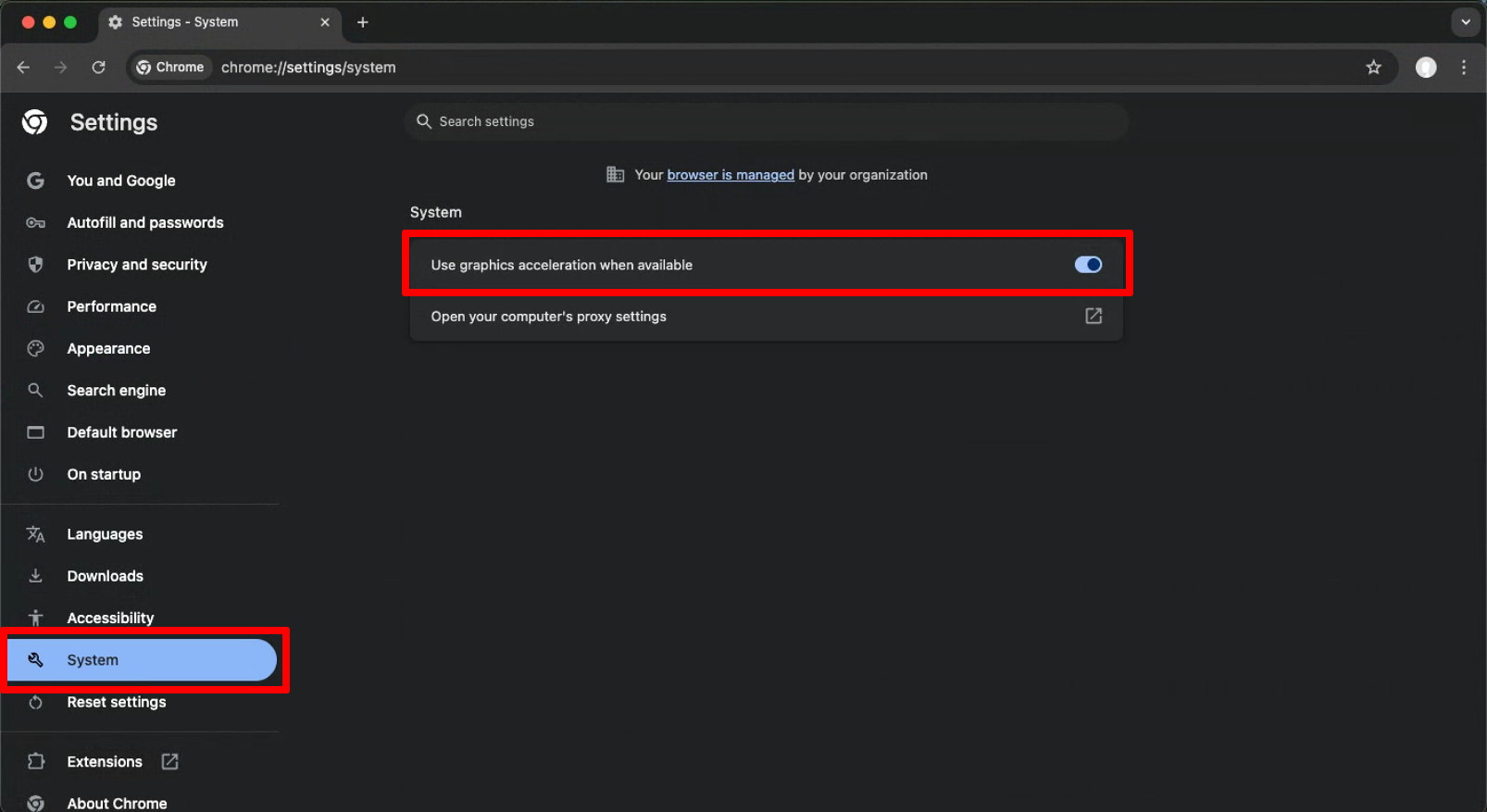
- Click System in the left sidebar.
- Turn OFF: Use graphics acceleration when available.
- Restart Google Chrome.
How to fix it in Firefox
- Open Firefox and click the Menu button (≡) in the top-right corner.
- Select Settings.
- In the left sidebar, choose General.
- Scroll down to the Performance section.
- Uncheck Use recommended performance settings, more options will appear.
- Uncheck Use hardware acceleration when available.
- Restart Firefox.