
Blitzz allows you to configure a Call End Page survey that appears automatically when a Blitzz session ends. If you want to enable a survey or a different call end page for your Guest users, but not for the Host(Agent).
How to Configure Call End Page
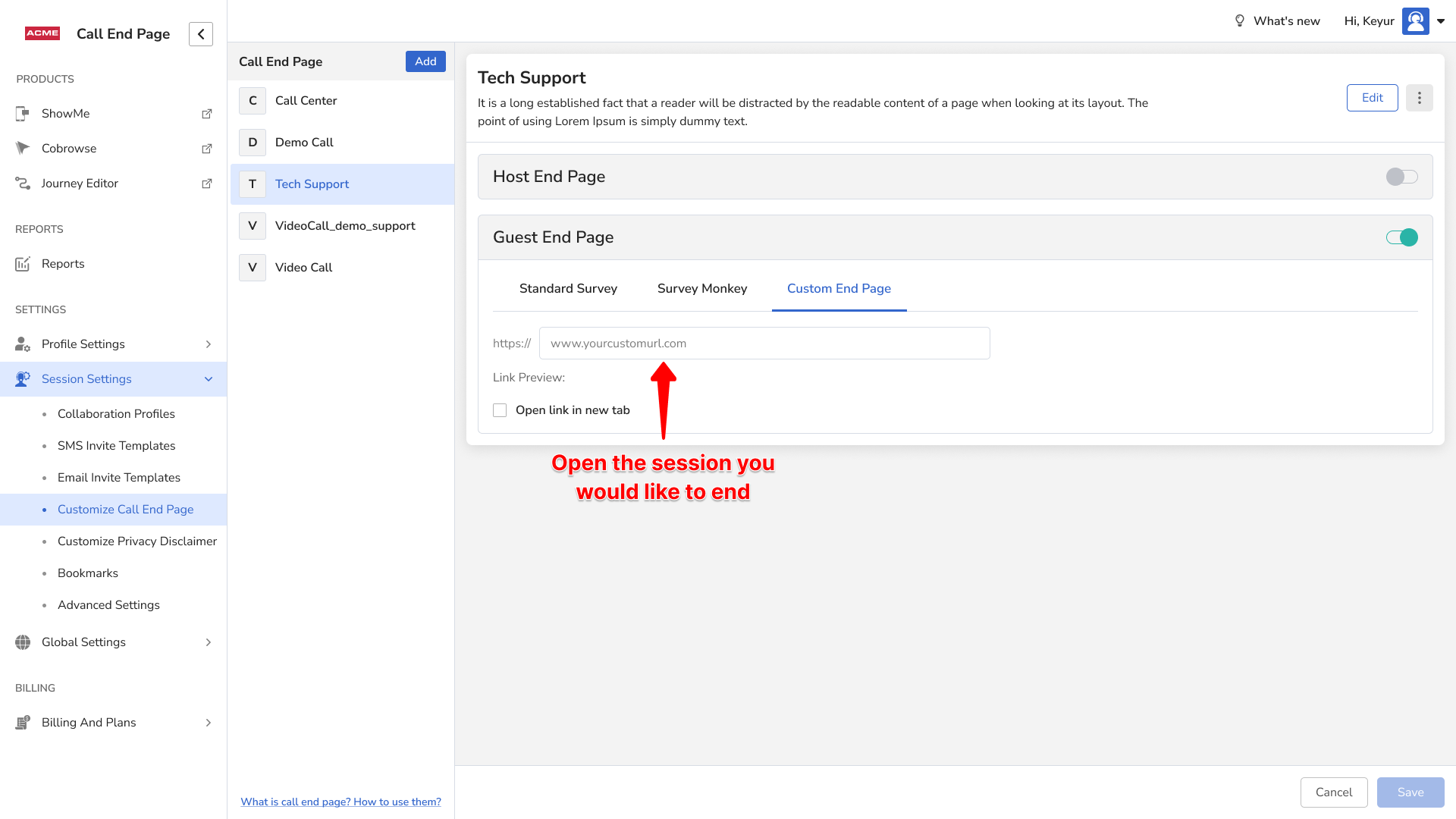
- Login as an Admin and click Session Settings in the left sidebar.
- Click Customize Call End Page from the expanded submenu.
- Select the Call End Page you want to use for enabling the Survey/Custom End Page.
- Toggle the switch ON for Guest End Page to configure their Survey/Custom End Page.
- Click the Custom End Page tab.
- Enter the guest survey link that you want your guest users to be redirected to.
- For the Agent URL, enter the link to your home page, eg. https://acme.blitzz.co/showme/session_history
- Click Save to apply these settings.
Currently, we do not offer the option to enable a survey only for guests and not for agents. This is a feature request and will be available at some point in the future.