
If the Reports tab does not load in Microsoft Edge, Edge's tracking prevention is usually the cause. Use one of the two options below.
For the best experience, we recommend the latest version of Chrome.
Option 1: Set Tracking Prevention to Basic
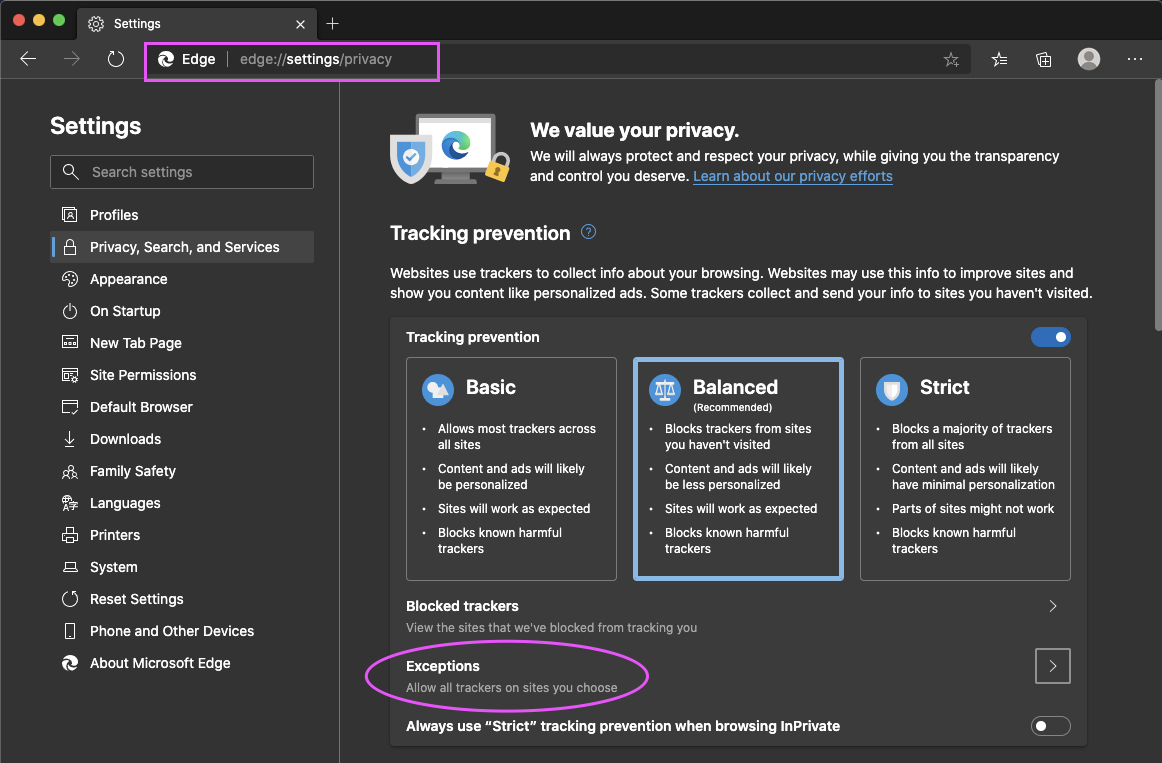
- Type edge://settings/privacy in the Edge address bar.
- Set Tracking prevention to Basic.

Option 2: Add Blitzz as an exception
- Type edge://settings/privacy in the Edge address bar.
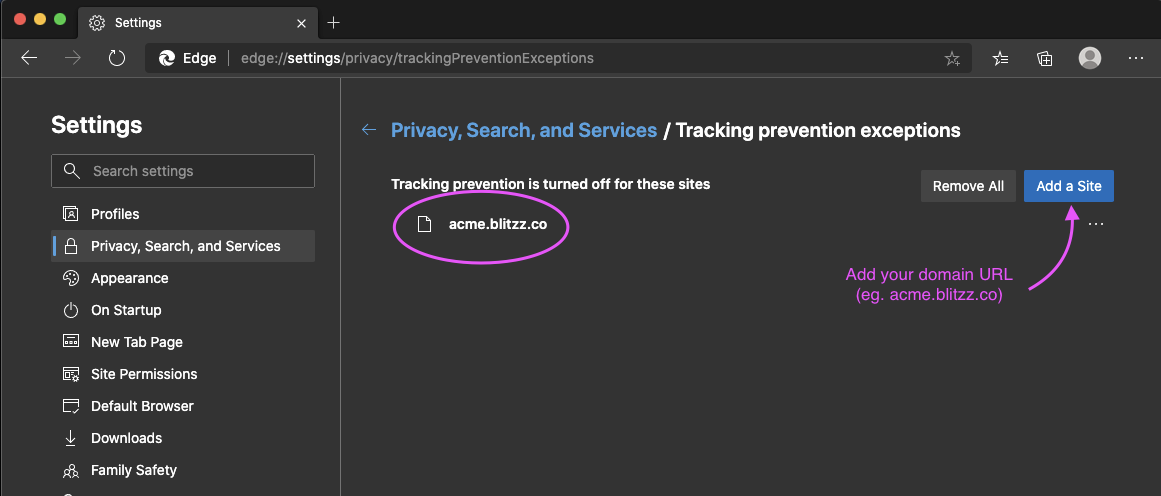
- Click Exceptions and add your Blitzz URL: {company}.blitzz.co
Frequently asked questions
Why don't Blitzz reports load in Edge?
Edge's tracking prevention can block the Reports tab. Lower it to Basic, or add your Blitzz URL as an exception.