
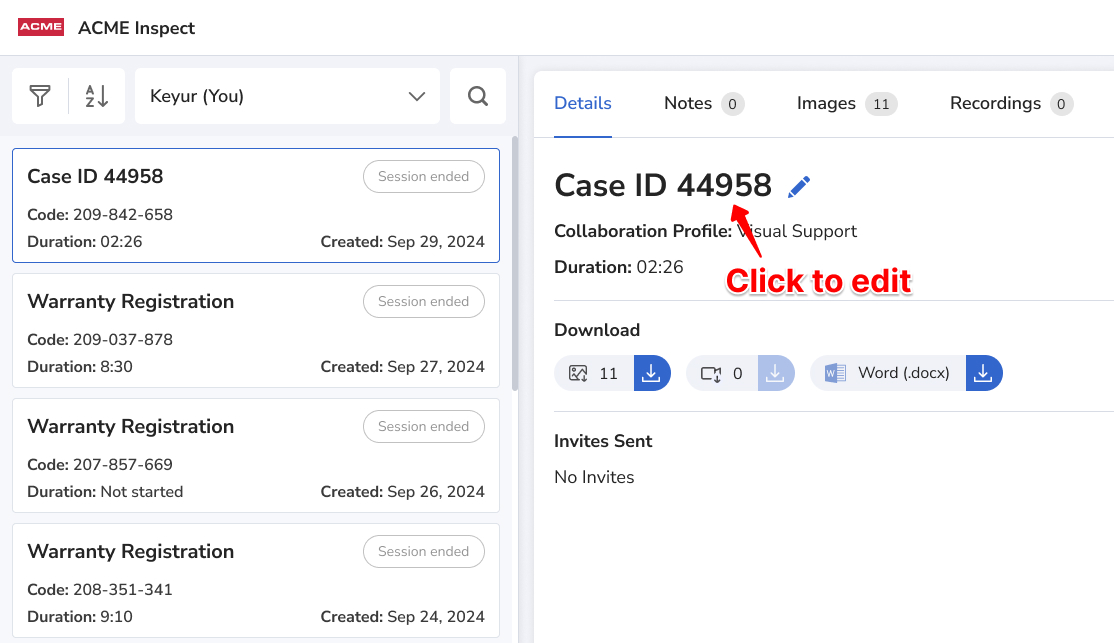
The Reference field identifies a session, like a ticket number or address. Admins can let users edit it after a session is created or closed. This keeps records accurate and makes sessions easier to find later.
How to turn on reference editing
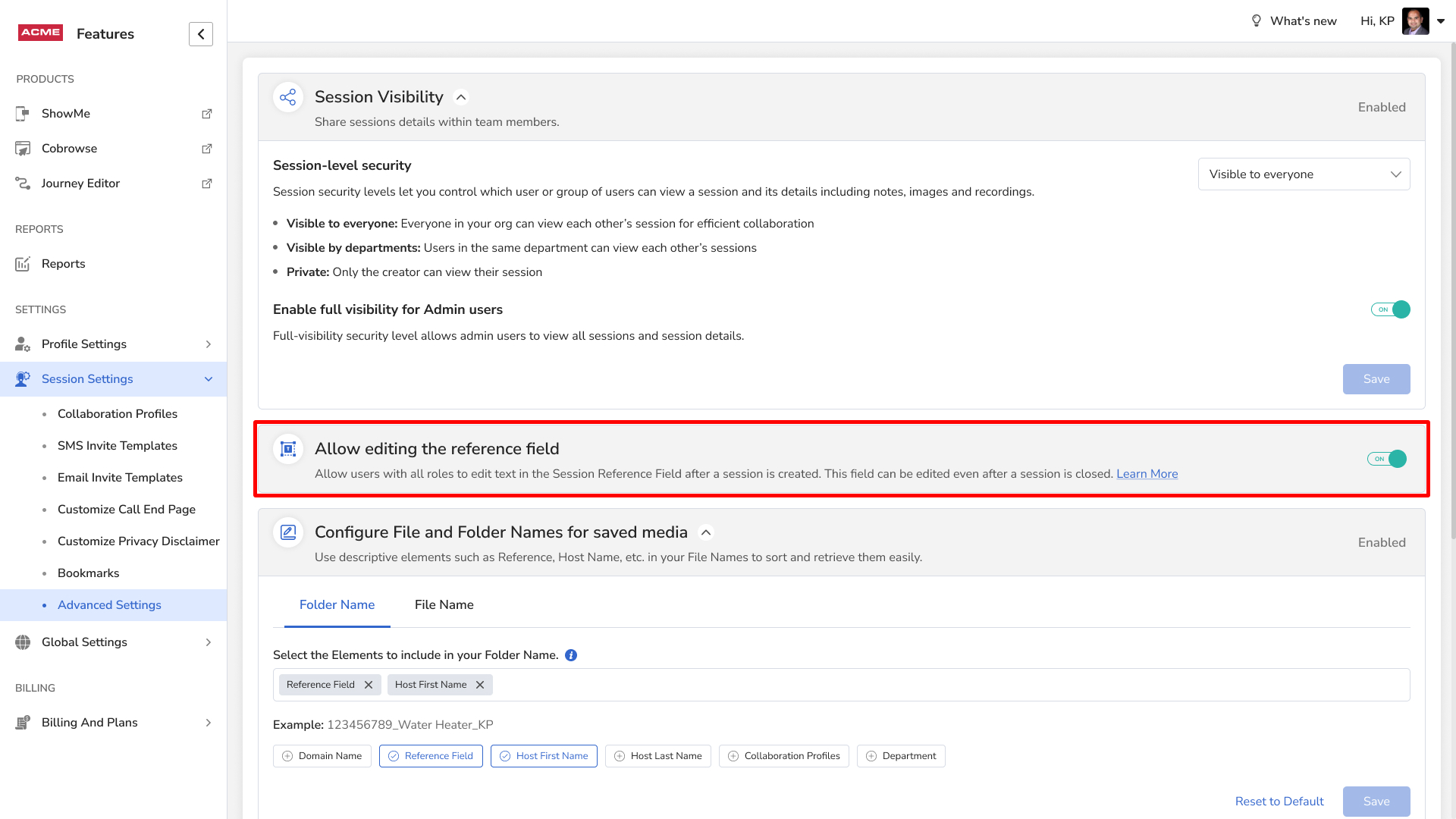
- Log in as an Admin.
- Go to Admin portal > Advanced Features.
- Turn on Allow editing the reference field.
Frequently asked questions
Can I change a session reference after the call?
Yes, if your admin has turned on Allow editing the reference field.