
Embed Blitzz Video Calls in Your Web or Mobile Application
Integrate real-time video support directly into your web, iOS, or Android application using the Blitzz Embed API. Build powerful video collaboration features without managing complex WebRTC infrastructure—Blitzz handles the video technology while you focus on your application.
Blitzz Embed is ideal for:
- Remote Support Platforms: Add video assistance to your help desk or support application
- Field Service Apps: Enable technicians to connect with experts via video
- Telehealth Applications: Build HIPAA-compliant video visits into your healthcare platform
- Inspection Software: Integrate virtual inspection capabilities
- Customer Engagement: Add video communication to your customer portal
Enterprise Feature: The Embedded API requires an Enterprise Edition license with API Access. To request an API key, please contact our support team.
Architecture Overview
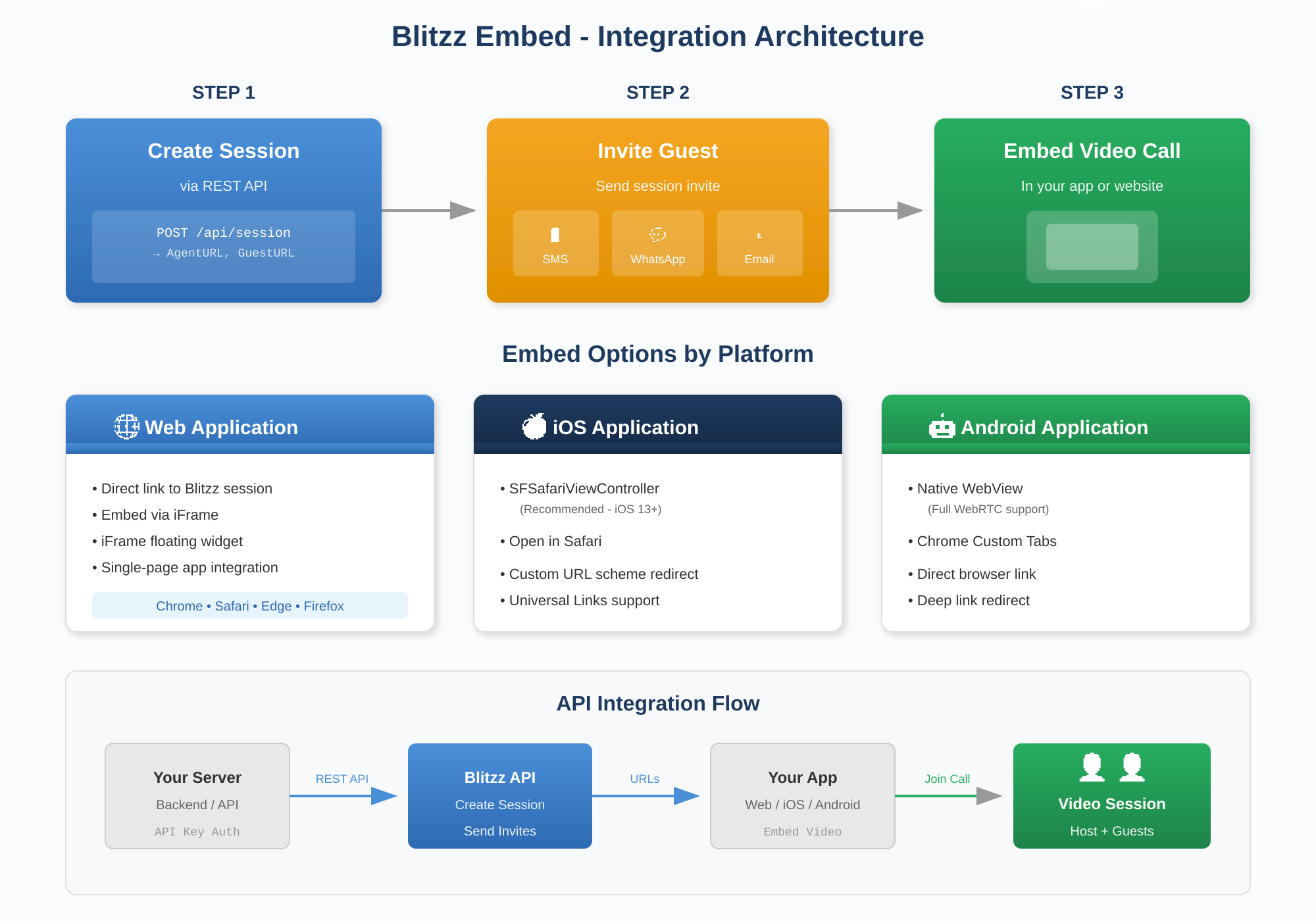
Key Benefits
- No Downloads Required: Video calls run directly in web browsers—users never need to install anything
- No Libraries to Bundle: Leverage our web-based solution without adding SDKs to your mobile apps
- Always Up-to-Date: We handle platform updates, bug fixes, and new feature rollouts automatically
- Cross-Platform Support: Works on Chrome (Android), Safari (iOS), and all major desktop browsers
Step 1: Create a Blitzz Session
Use the Blitzz REST API to authenticate and create a new video session.
API Request
POST /api/session

{
  "SessionType": {},
  "Reference": "TICKET-12345",
  "ExperienceId": 0,
  "StartAt": "2025-01-15T10:00:00Z",
  "EndAt": "2025-01-15T11:00:00Z"
}
API Response
A successful response returns two URLs:
| Field | Description |
| AgentURL | URL for the host/agent to join the video session |
| GuestURL | URL to send to guest participants for joining the call |
Step 2: Invite Guest Participants
After creating a session, invite guests using one of these methods:
Option A: Send Invites via Blitzz API
Use the Session Invitation API to send invites automatically. Specify the invitation type:
| InvitationType | Channel | Description |
1 | SMS | Send text message with session link |
2 | Send WhatsApp message with session link | |
3 | Send email invitation with session details |
Customize invitation templates in the Blitzz Agent Portal under Call Experience settings.
Option B: Send via Your Application
Use the GuestURL from Step 1 and send invitations through your own notification system (push notifications, in-app messages, etc.).
Step 3: Embed Video in Your Application
Choose the embedding method that best fits your platform:
? Web Applications
For web apps, you have three integration options:
Option 1: Direct Link
The simplest approach—link directly to the Blitzz session URL:
<a href="https://yourdomain.blitzz.co/j/#/SESSION_CODE" target="_blank">
  Join Video Call
</a>
Option 2: Embed via iFrame
Embed the video session directly in your page for a seamless experience:
<iframe
  width="1000"
  height="800"
  src="https://yourdomain.blitzz.co/j/#/SESSION_CODE?m=0&c=1&s=1"
  title="Blitzz Video Session"
  allow="camera; microphone; display-capture"
  frameborder="0">
</iframe>
Important: Contact Blitzz support to whitelist your domain for iFrame embedding.
Option 3: Floating iFrame Widget
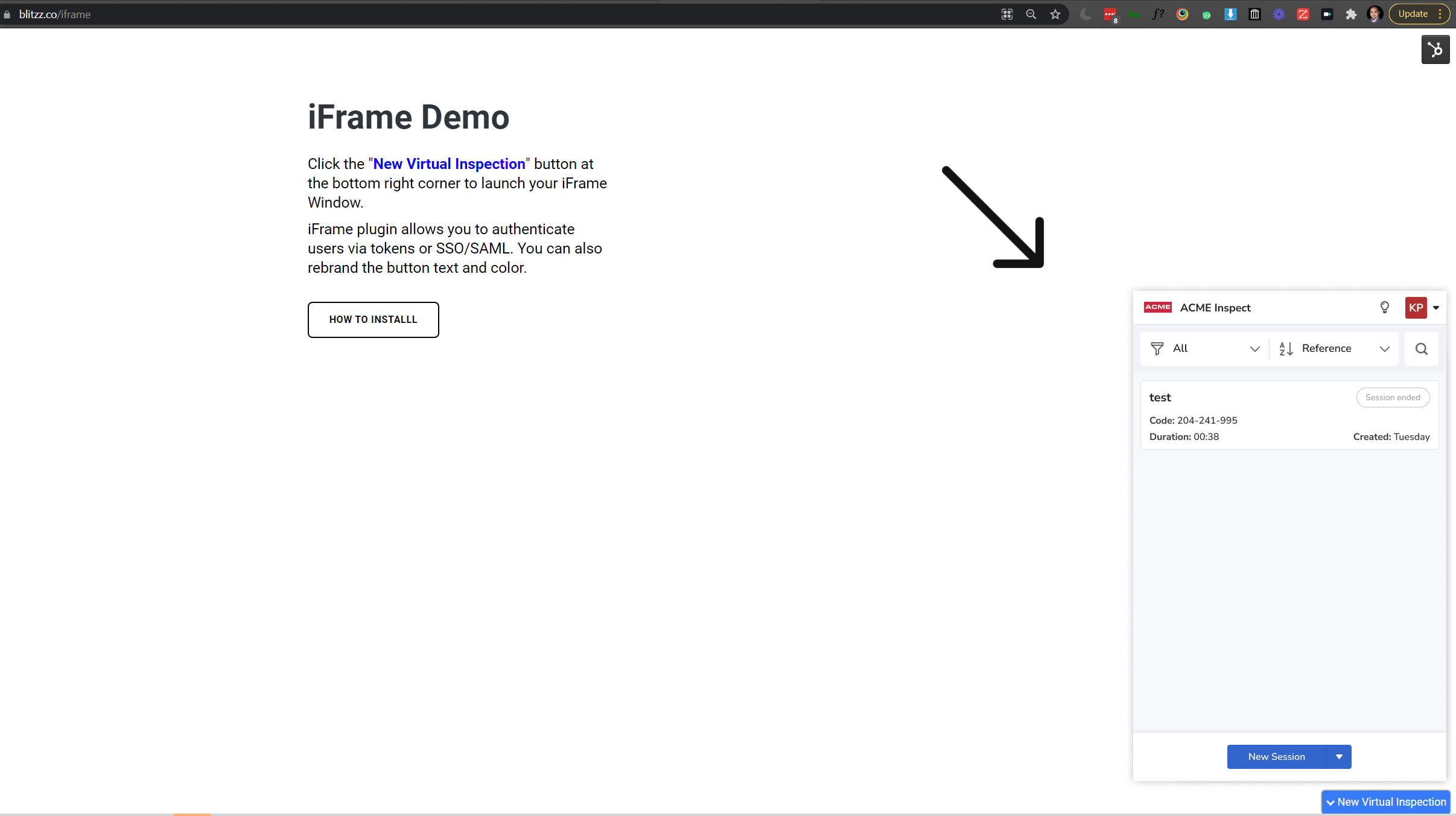
Add a floating button that expands into a video session panel. See our iFrame Widget Guide for implementation details.
? Android Applications
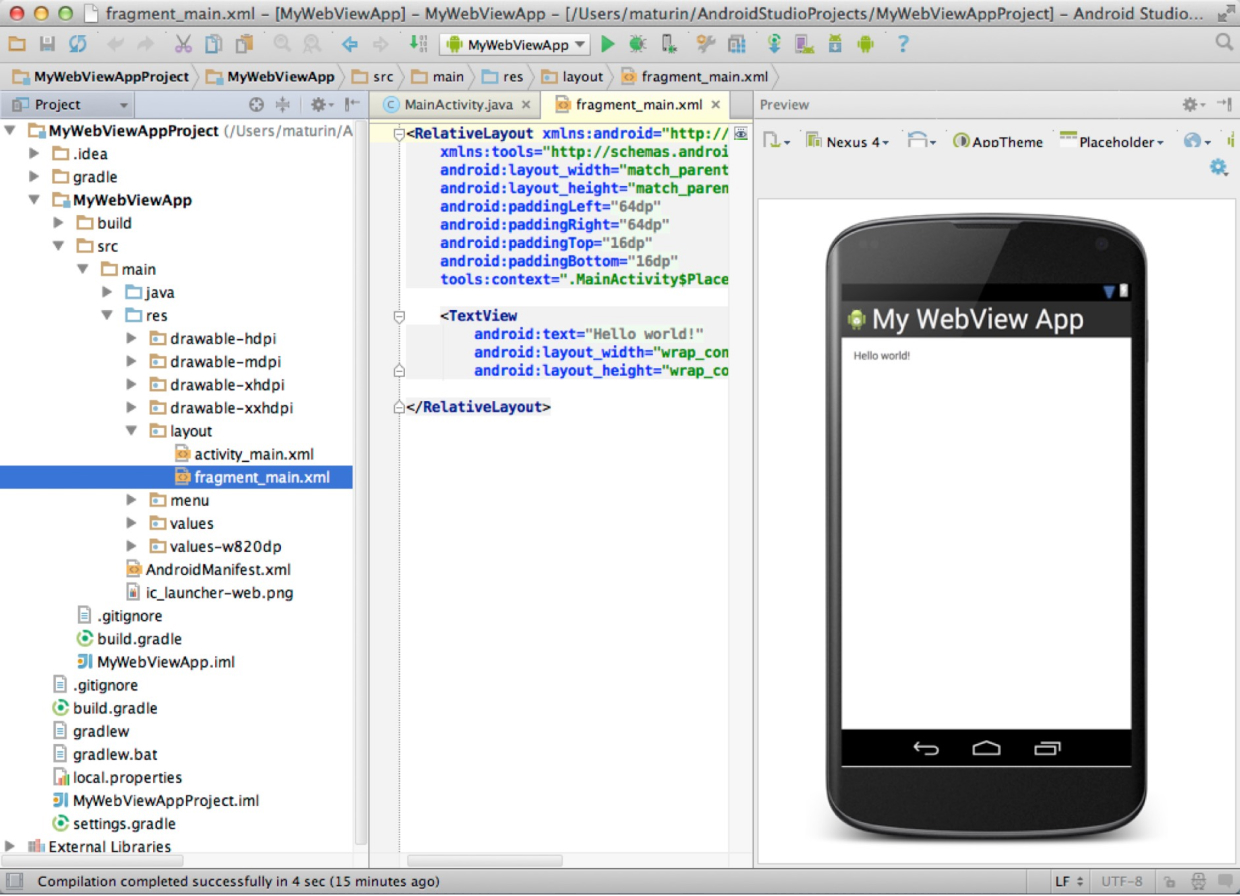
For Android native apps, embed Blitzz using a WebView:
// Kotlin example
val webView = WebView(context)
webView.settings.javaScriptEnabled = true
webView.settings.mediaPlaybackRequiresUserGesture = false

// Enable camera and microphone permissions
webView.webChromeClient = object : WebChromeClient() {
    override fun onPermissionRequest(request: PermissionRequest) {
        request.grant(request.resources)
    }
}

webView.loadUrl("https://yourdomain.blitzz.co/j/#/SESSION_CODE")
Blitzz video calls work seamlessly in Android WebView with full WebRTC support.
Resources:
? iOS Applications
For iOS native apps, you have two options:
Option 1: SFSafariViewController (Recommended)
Provides the most native-feeling experience. Requires iOS 13+ for WebRTC support.
import SafariServices

// callURL is your Blitzz session URL
let callViewController = SFSafariViewController(url: callURL)
callViewController.dismissButtonStyle = .close
callViewController.preferredBarTintColor = .systemBlue
callViewController.preferredControlTintColor = .white

present(callViewController, animated: true, completion: nil)
Option 2: Open in Safari
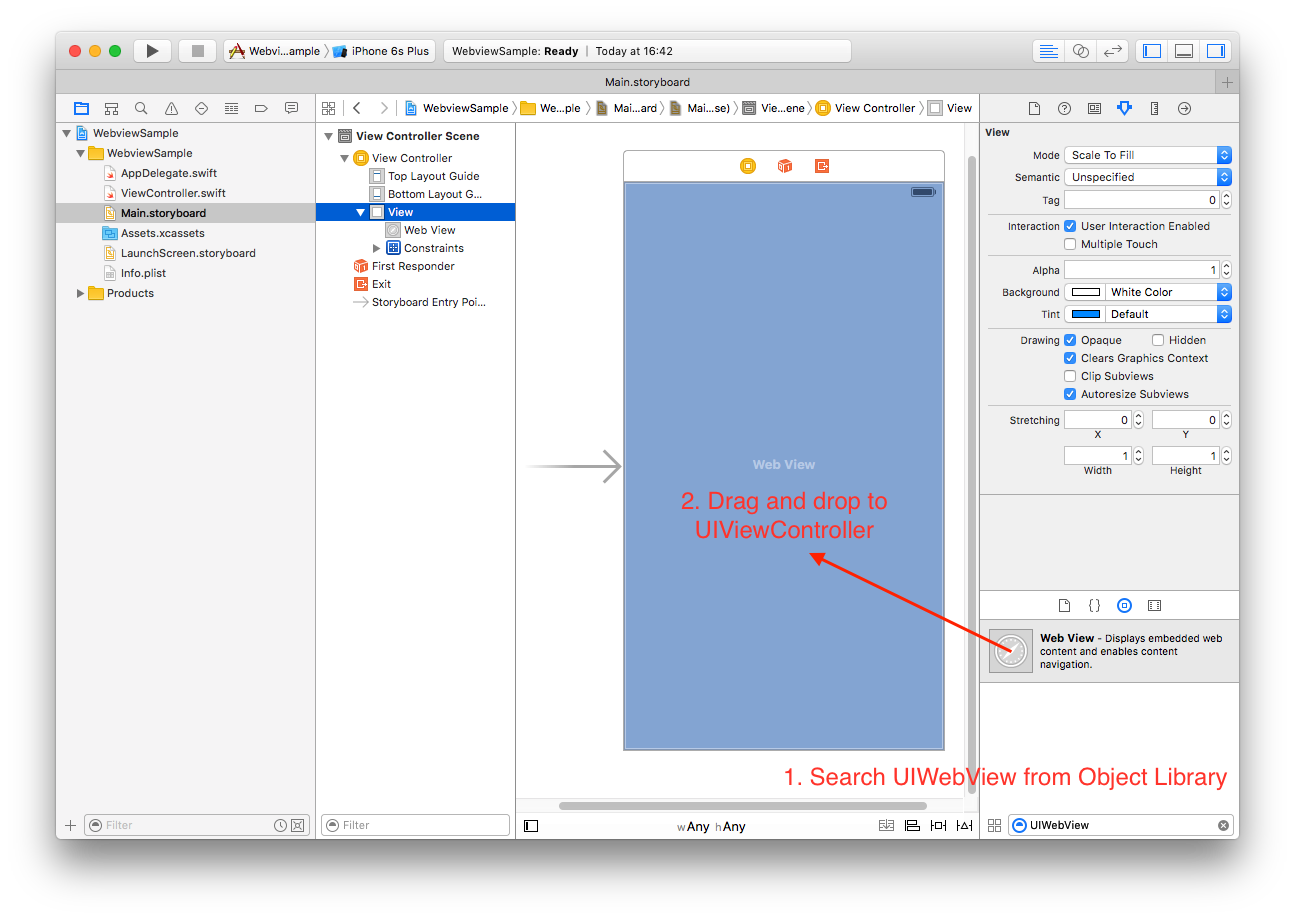
For broader compatibility, open the session in Safari:
UIApplication.shared.open(callURL)
Redirecting Back to Your App
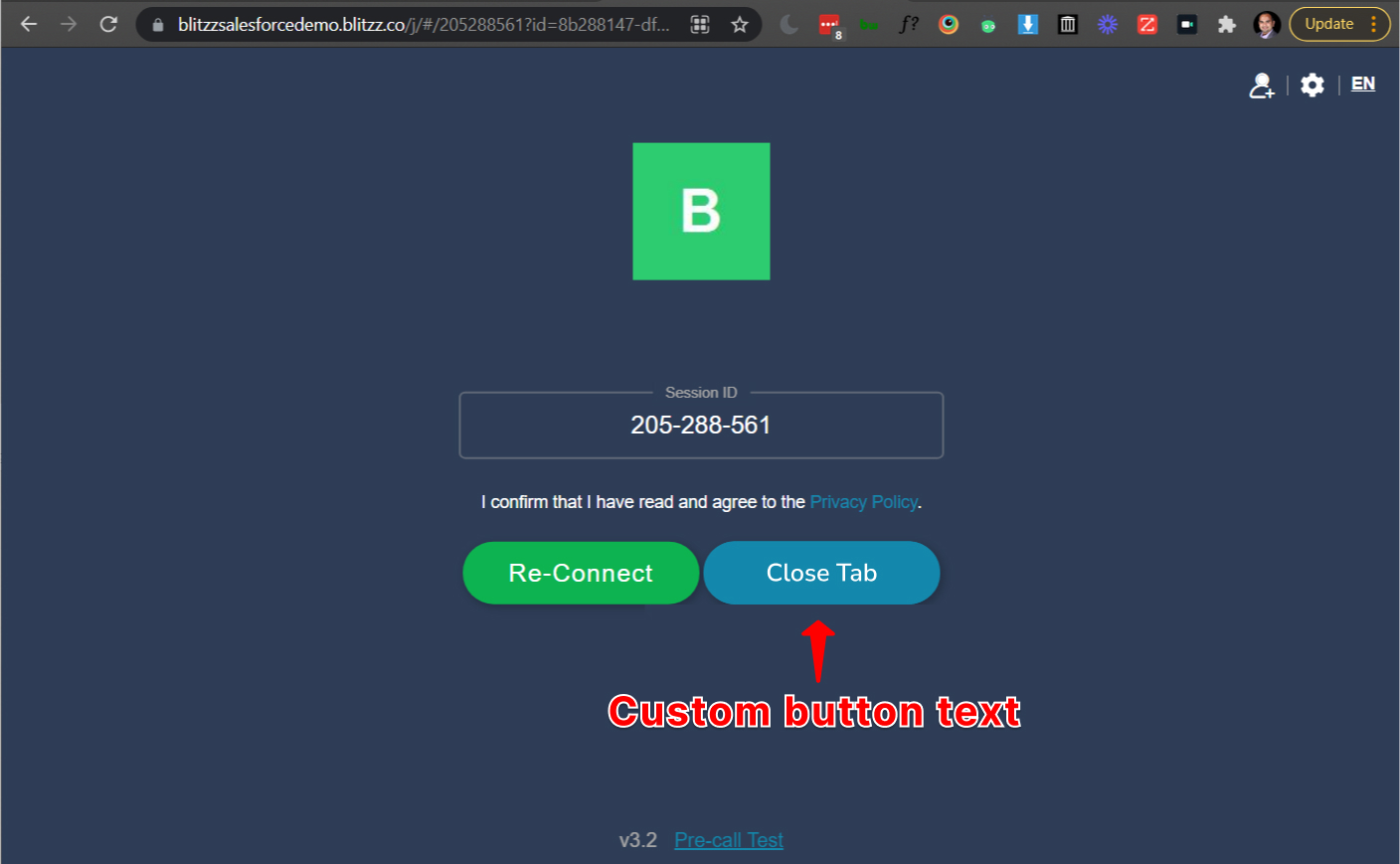
After the call ends, redirect users back to your app using URL parameters:
https://DOMAIN.blitzz.co/j/#/CODE?id=AGENT_ID&m=0&s=1&redirect_url=YOUR_APP_URL&platform=Your-App-Name
| Parameter | Description |
redirect_url | Your app's Custom URL Scheme or Universal Link to redirect to after the call |
platform | Custom text displayed on the redirect button |
close_tab_on_exit | Set to true to automatically close the tab when the call ends |
Resources:
Authentication Options
For a seamless user experience, we recommend implementing one of these authentication methods:
| SSO / SAML | Integrate with your identity provider for automatic sign-in |
| Token-Based Auth | Generate authentication tokens programmatically for seamless login |
| Standard Login | Users enter Blitzz credentials on first access |
Contact our support team to configure authentication for your integration.
Supported Platforms
| Platform | Browser / Environment |
| Desktop | Chrome, Safari, Edge, Firefox |
| Android | Chrome, WebView |
| iOS | Safari, SFSafariViewController (iOS 13+) |
For the full list of supported platforms, see our Platform Compatibility Guide.
Need Help?
Our team is ready to assist with your integration. For API keys, SSO setup, or technical questions, please contact our support team.