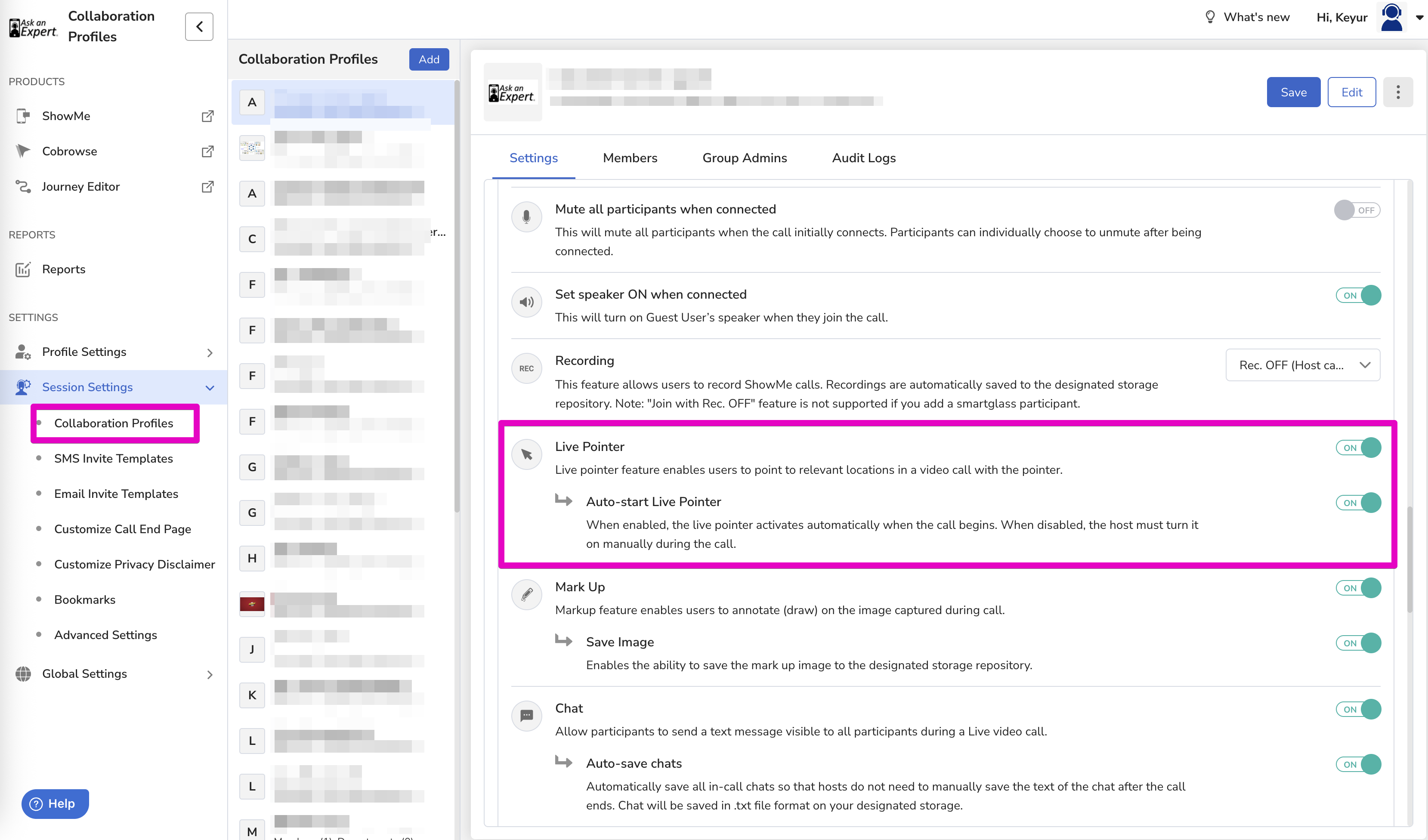
The Auto-start Live Pointer setting controls whether the live pointer activates automatically when a call begins, or requires the host to turn it on manually.
What It Does
- Enabled ON – The live pointer activates automatically as soon as the call starts. No manual action is needed.
- Disabled – The host must turn on the live pointer manually during the call.
Where to Find It
- Go to Settings → Session Settings → Collaboration Profiles.
- Select or open a Collaboration Profile.
- Under the Settings tab, scroll to the Live Pointer section.
- Toggle Auto-start Live Pointer on or off.
Note: Auto-start Live Pointer is a sub-setting of Live Pointer. Live Pointer must be enabled for this toggle to take effect.