
Can't Log In?
If you're unable to log in, it's typically due to an incorrect password or email address.
Reset Your Password
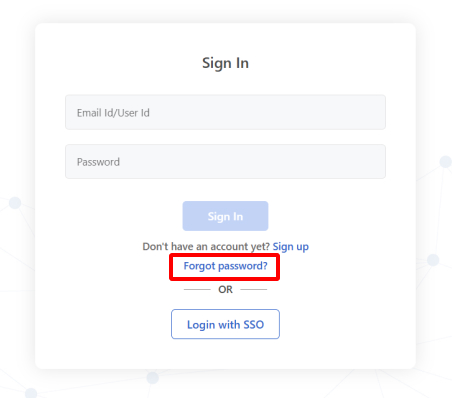
Click Forgot Password? on the login page
Enter your email address and submit
Check your inbox for the password reset link
Once logged in, you can change your password in account settings
Didn't Receive the Reset Email?
If the password reset email hasn't arrived, check the following:
Check your spam folder – The email may have been filtered
Verify your email address – You may have signed up with a different email or there was a typo during registration
SSO may be enabled – Your organization might use Single Sign-On; check with your IT team
Confirm your login URL – Make sure you're on the correct subdomain: https://{your-company}.blitzz.co/login
Still Need Help?
Contact us at support@blitzz.co with your name, email, and company name.