
Blitzz lets you control video quality to suit your network, your device and the goal of the session. Changing resolution can improve performance, reduce data use and make calls more stable.
When to lower video quality
- Audio or video is delayed
- The network is weak or unstable
- You need to save battery
- Data or bandwidth is limited
- You see other video quality issues
Video quality options
| Option | What it does |
|---|---|
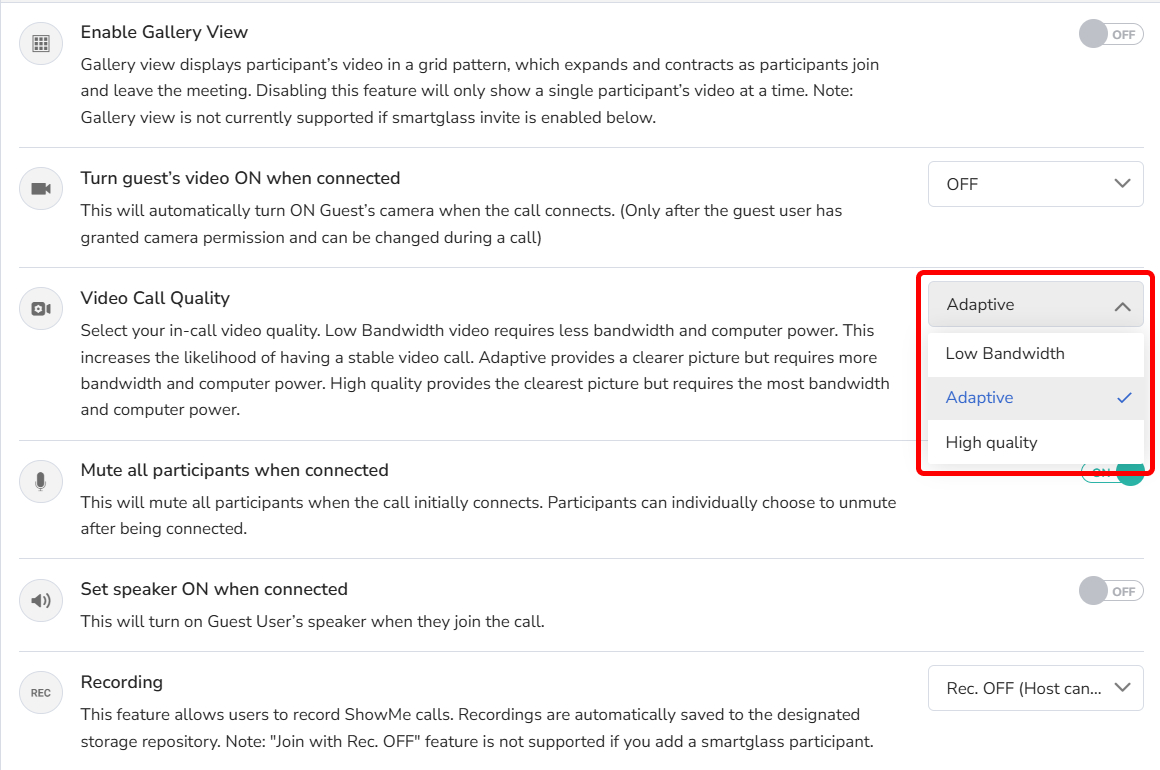
| Low Bandwidth | Lower quality video that uses less bandwidth and processing power. |
| Adaptive (recommended) | Clearer picture that adjusts automatically to available bandwidth and device performance. |
| High Quality | Clearest video. Uses the most bandwidth and processing power. Best on computers with a quad-core CPU or better. |
Set the default quality (admins)
- Log in as an Admin and click Session Settings in the left sidebar.
- Click Collaboration Profiles.
- Select a Collaboration Profile. On the Settings tab, scroll to Video Call Quality and choose an option.
- Click Save.
Change quality during a session
- In the session, click the Settings button in the top right corner.

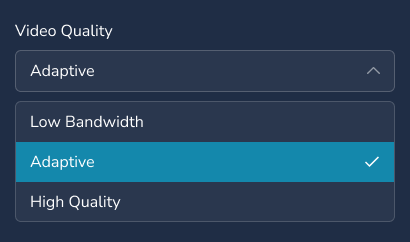
- Under Video Quality, choose an option.
Frequently asked questions
Which video quality setting should I use?
Adaptive is recommended for most calls. Use Low Bandwidth on weak networks and High Quality on fast connections with a powerful computer.