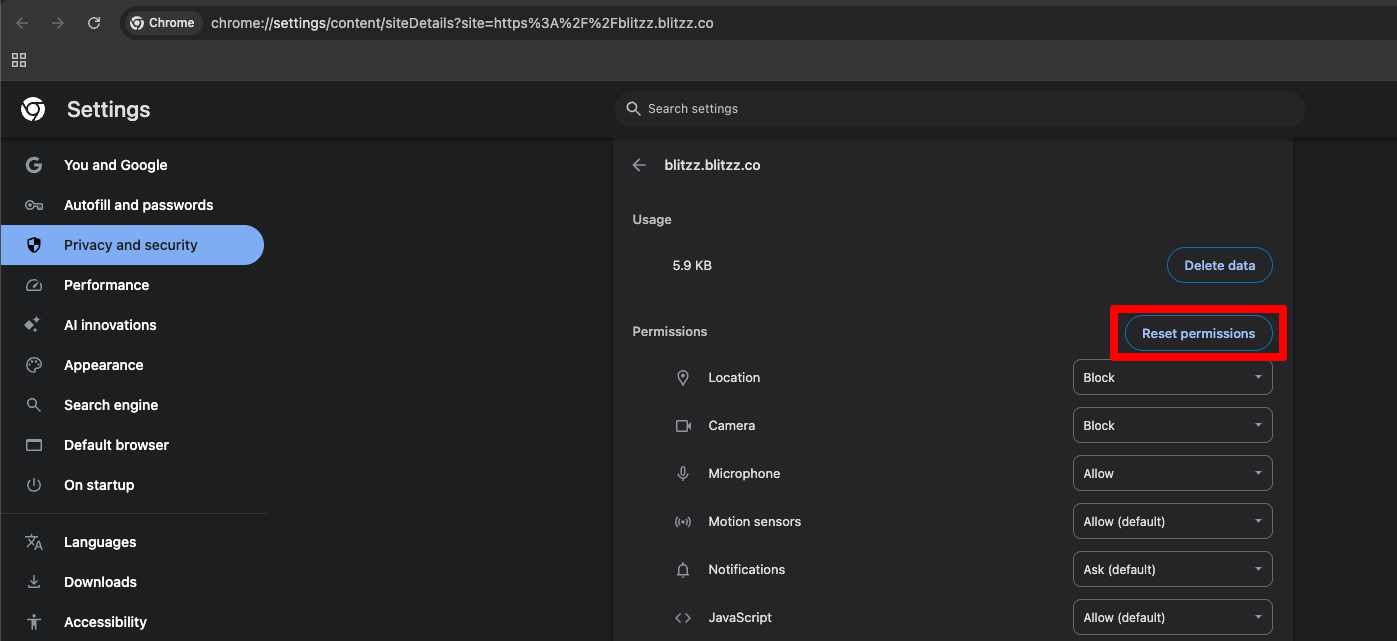
If your camera and mic are blocked in Chrome, there are a few steps you'll need to take in order to re-enable them for use on a call:
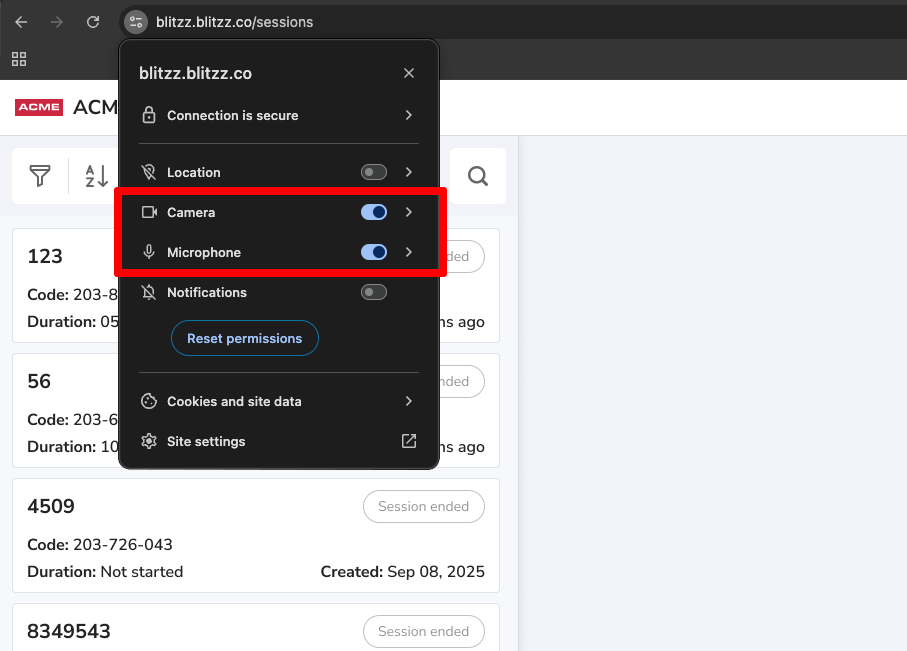
To re-enable a blocked Camera or Mic:
- Select the Tune icon located in the address bar.
- In the dropdown menu, find Camera and Microphone.
- Set the toogle button On for “Camera” and “Microphone.
- Refresh the browser tab (cmd + R).
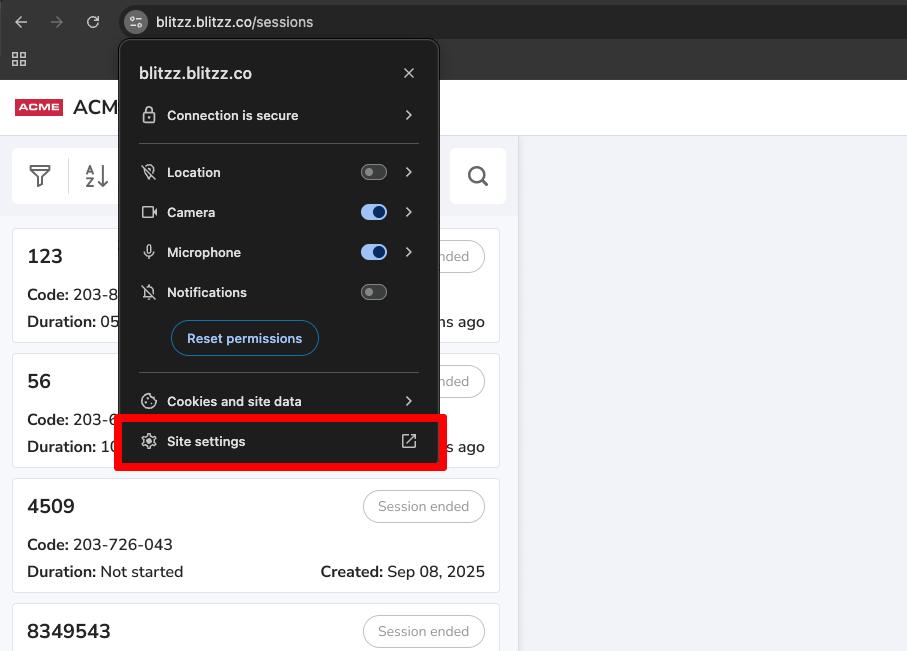
If this does not solve the problem, try to reset your permission settings:
- Select the Tune icon located in the address bar.
- Select the Site settings in the dropdown menu.
3. Select Reset permissions