
Safari will ask you to allow access to your device's camera and microphone each time you start a new call.
How to re-enable the camera and microphone on your MacBook & iMac
- Open Safari.
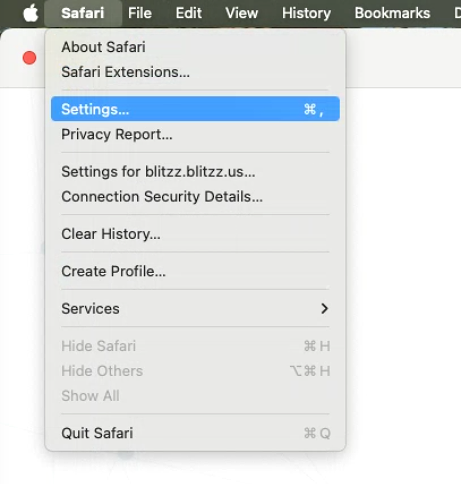
In the menu bar, click Safari > Settings.
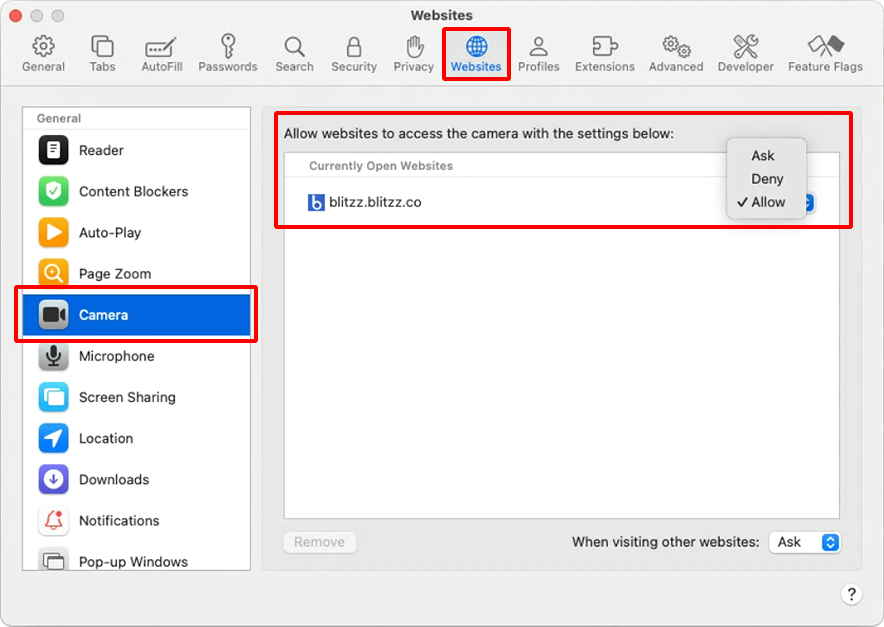
- Go to the Websites tab.
- In the left-hand list, select Camera.
- Find the website in the right panel, Set it to Allow.
Restart the Safari browser.
Unable to screen share in the latest macOS? Click here.