
You can customize your Blitzz session branding by applying your brand colors. Blitzz allows you to customize your video call pages to reflect your organization’s brand identity. This provides an additional way to personalize your Blitzz domain. You can also upload your company logo, add a custom favicon, and update your URL, giving you more control to create a unique Blitzz experience.
How to Branding your Video Call Pages
- Login as an Admin and click Global Settings in the left sidebar.
- Click Branding from the expanded submenu.
Click the Brand Colors tab to view your brand colors.
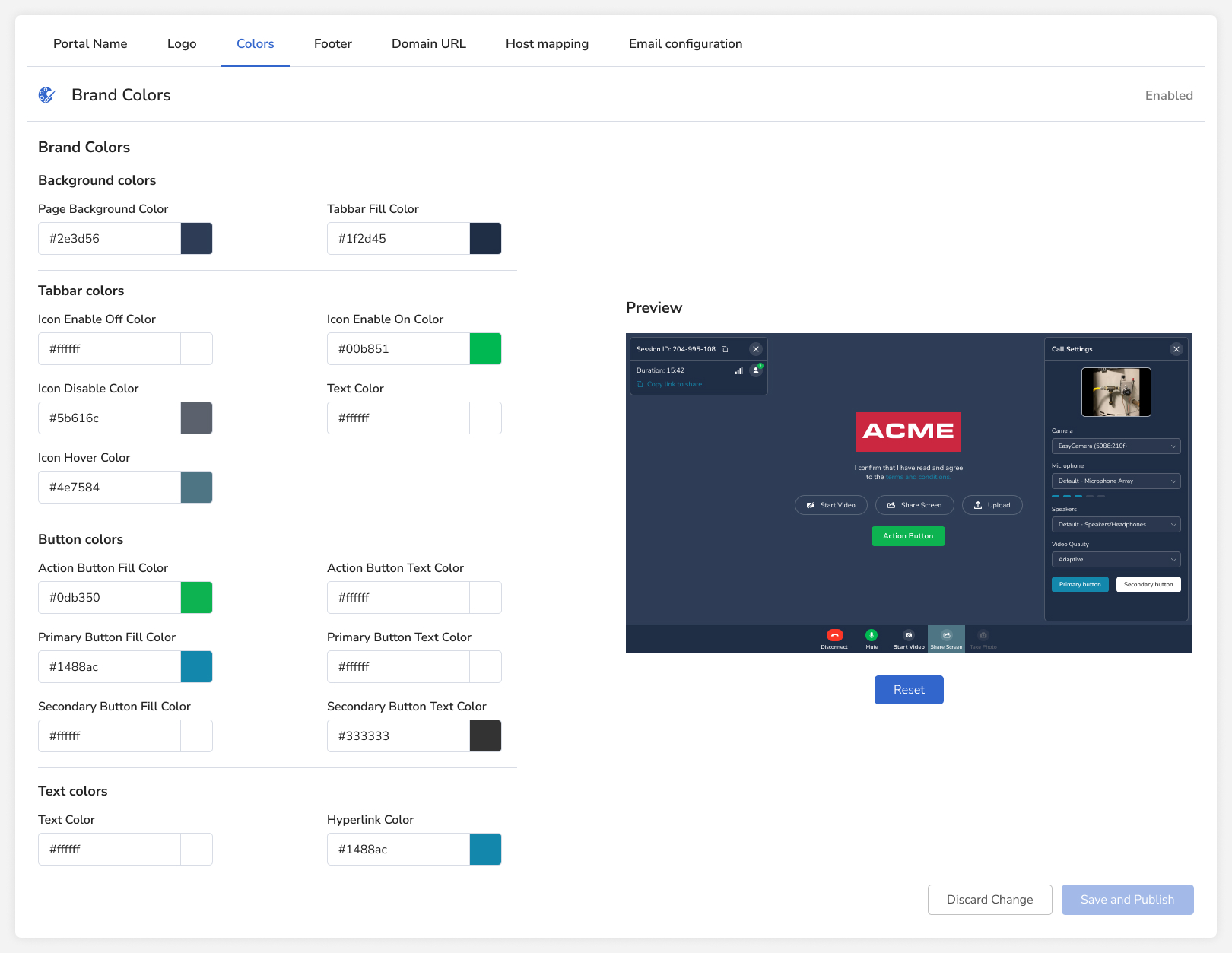
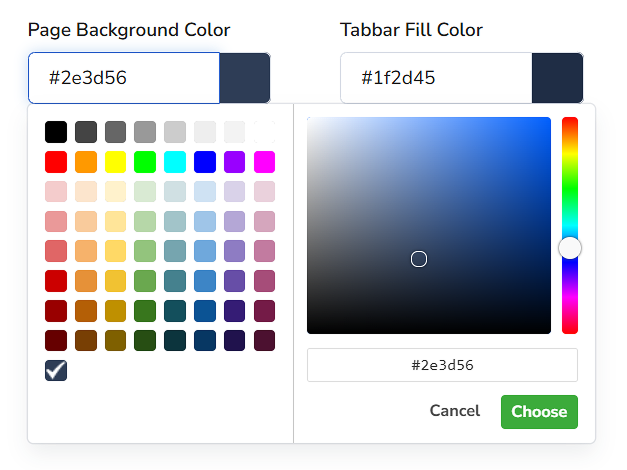
You can select a specific area to customize and access the color palette by clicking the Hex value. A color palette will then appear, displaying a full spectrum of options to choose from.
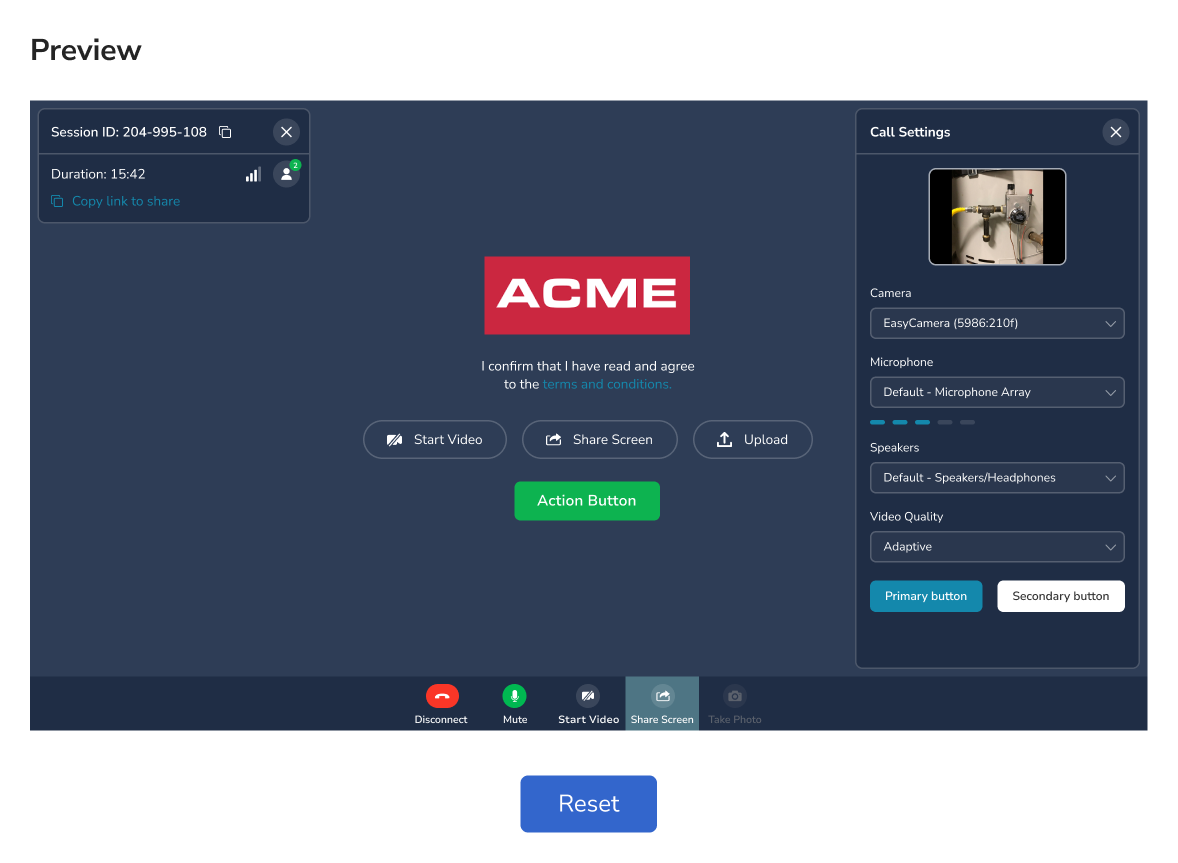
After making the changes, check the preview on the right to see how they will appear.
Keep in mind that you can Discard Changes if you are not satisfied with the new color scheme. After making all your changes don't forget to Save and Publish.
Recommended Branding Guidelines
- Ensure sufficient color contrast between text and background colors to meet accessibility standards.
- Maintain consistent branding across your website and the Agent Portal.