
If you are seeing a message that your camera is being used by another application, or you receive the error “We can’t access your camera and microphone,” this article will help you resolve the issue.
How to re-enable the camera and mic on macOS
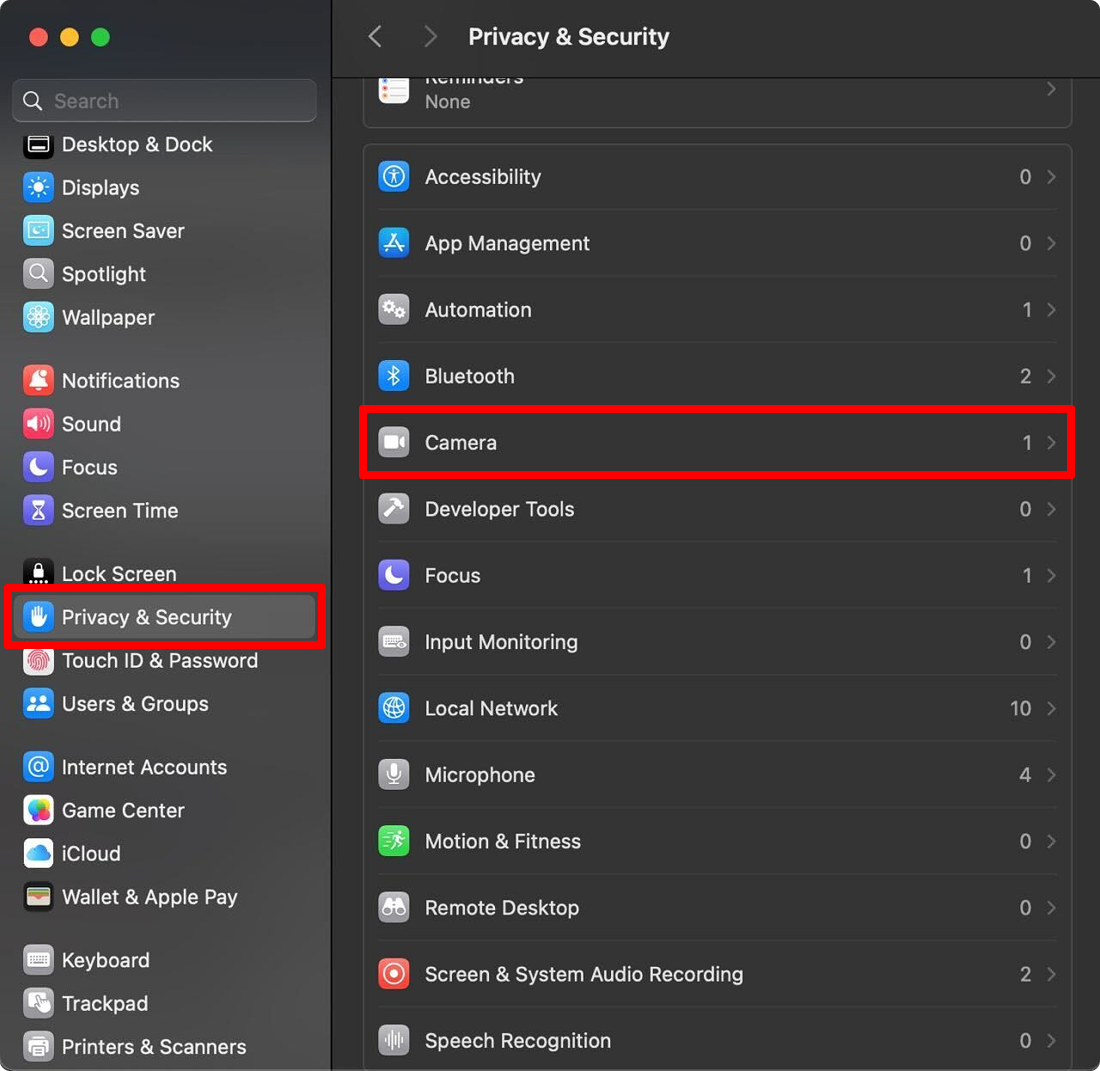
- Open System Settings.
- In the left panel, scroll and click Privacy & Security.
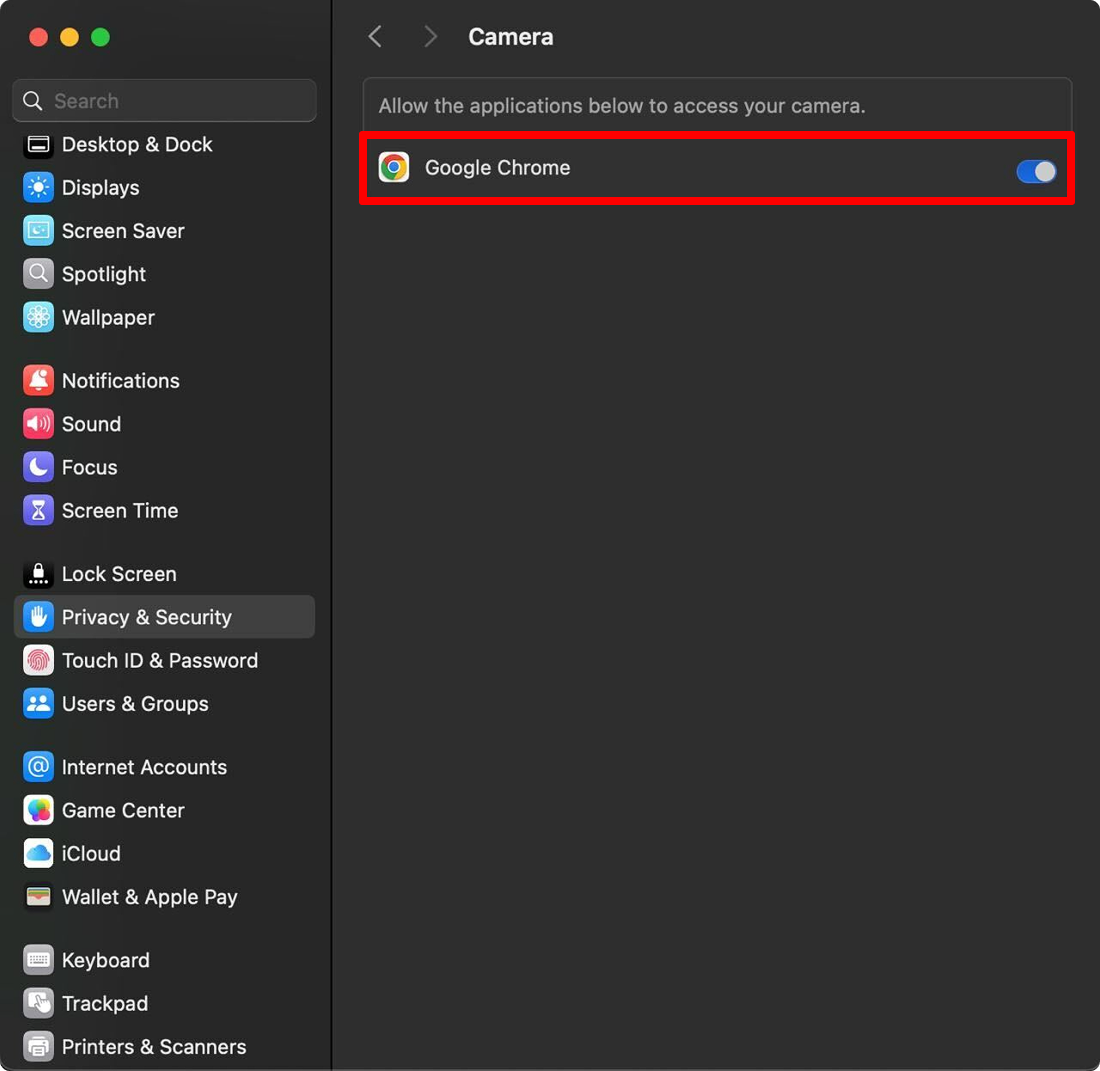
- Select Camera or Microphone.
- Turn ON the toggle next to the required app. (e.g., Chrome, Safari, Firefox, etc.).
- Restart the browser.